827 enterprise clients can now read their own billing data without filing a ticket.
Indeed's itemized billing report had four fields. Enterprise accounting needs more, so a customer-service team and an RPA automation team hand-built custom reports on request. I redesigned the surface so clients build, save, share, and schedule those reports themselves, on the product that bills $3.7B a year.
§ Catalog data · At a glance
- Company
- Indeed. Billing Reports (BRP), inside Sponsored Jobs. $3.7B+ annual advertiser revenue runs through this surface.
- Users
- Centralized billing managers at enterprise clients and agencies; internal customer-service reps.
- My role
- Senior Product Designer and sole designer across all three workstreams. With no research function on the team, I ran my own concept testing, then took the work from discovery through permission modeling, engineering specs, and the phased ship plan.
- Timeline
- 2023–2024, shipped in phases against fiscal-year deadlines.
- Outcome
- Three workstreams shipped inside Indeed's Flexible Reports launch, against a 4% reduction target for CS cases tied to itemized reports.
The report couldn't break out who spent what
When a report can't do the job, a person does it by hand, one request at a time.
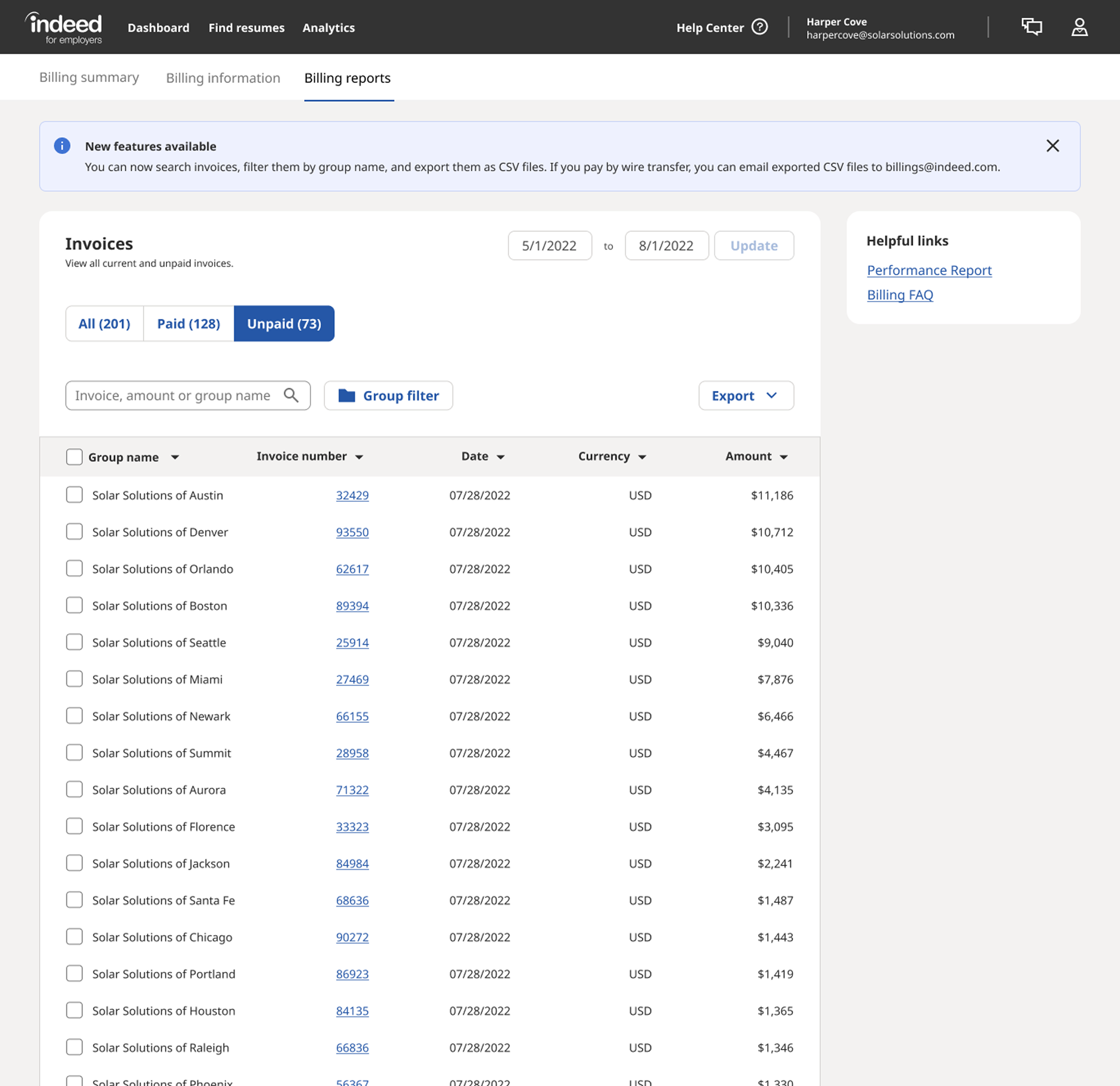
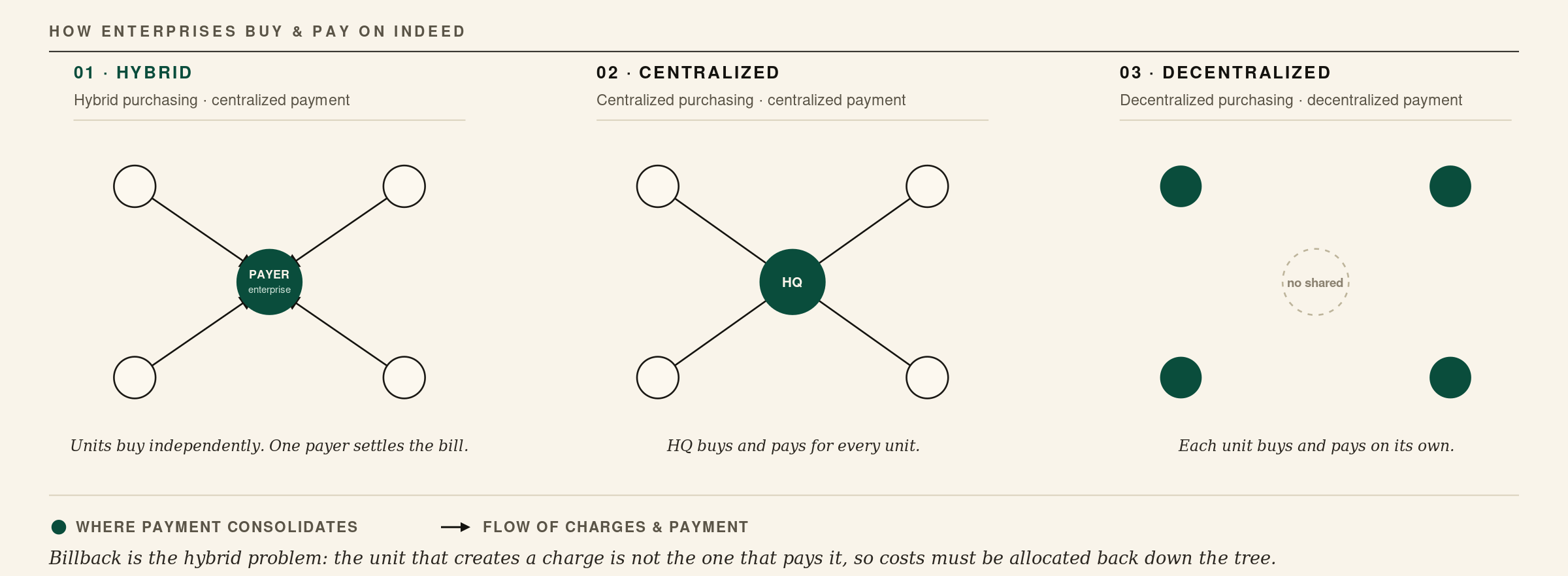
Enterprise billing managers reconcile Indeed invoices into their own accounting systems. Most run a hybrid model: regions, stores, and recruiters spend independently, but one manager at headquarters pays every invoice, then has to push each charge back down to the unit that created it. That allocation is billback, and it only works if the report can break spend out by PO number, cost center, store ID, recruiter, and wire remittance. Indeed's itemized report gave them four fields and no billback across group accounts.
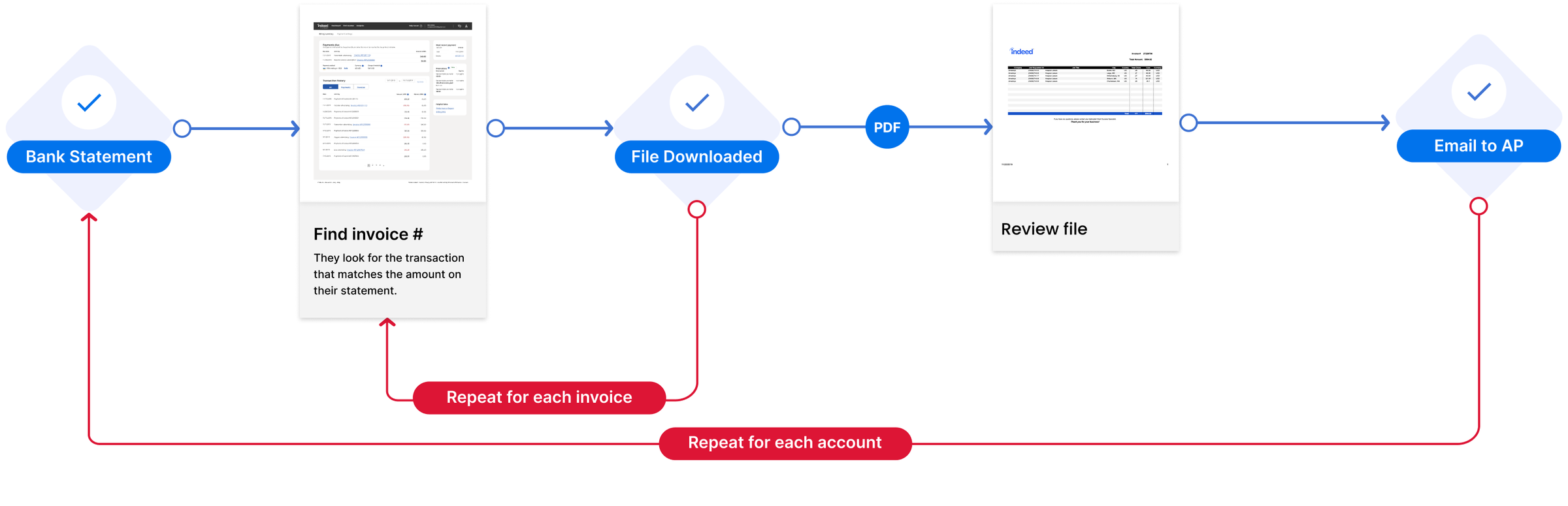
To cover the gap, a customer-service team and an RPA automation team built those reports by hand, one request at a time, for the largest accounts. It worked, but it was slow, and it tied up customer service in recurring work that should have been part of the product. By the time the problem reached me, both the team that built those reports and the previous UX designer were gone, so I rebuilt the context from PM, engineering, CS, and archived research, then traced the workflow from invoice to CS ticket to the client's accounting system to find where self-service had to start.
From four fields to a configurable report
From a fixed four-field report to 20+ configurable invoice fields, without losing the report people already knew.
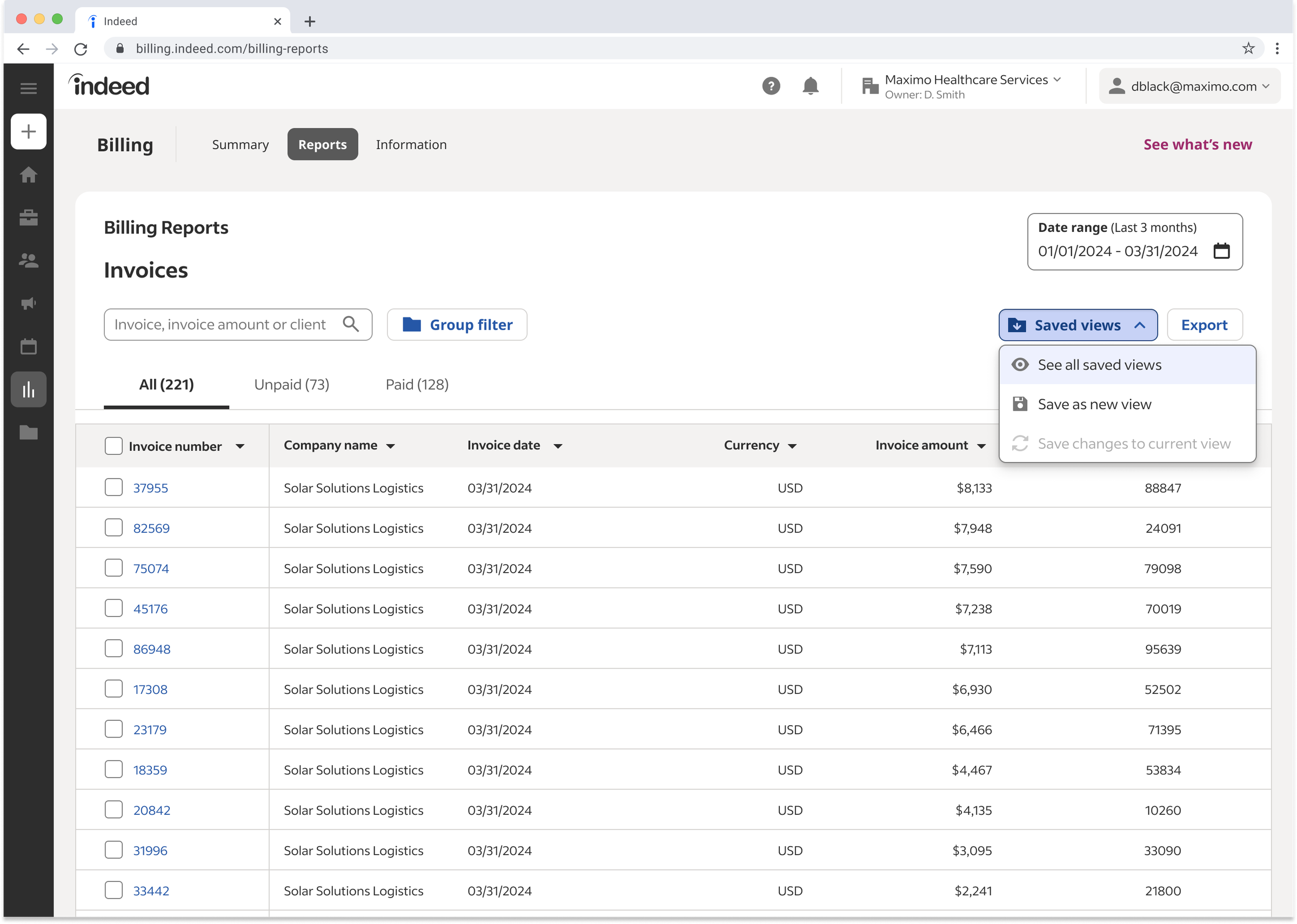
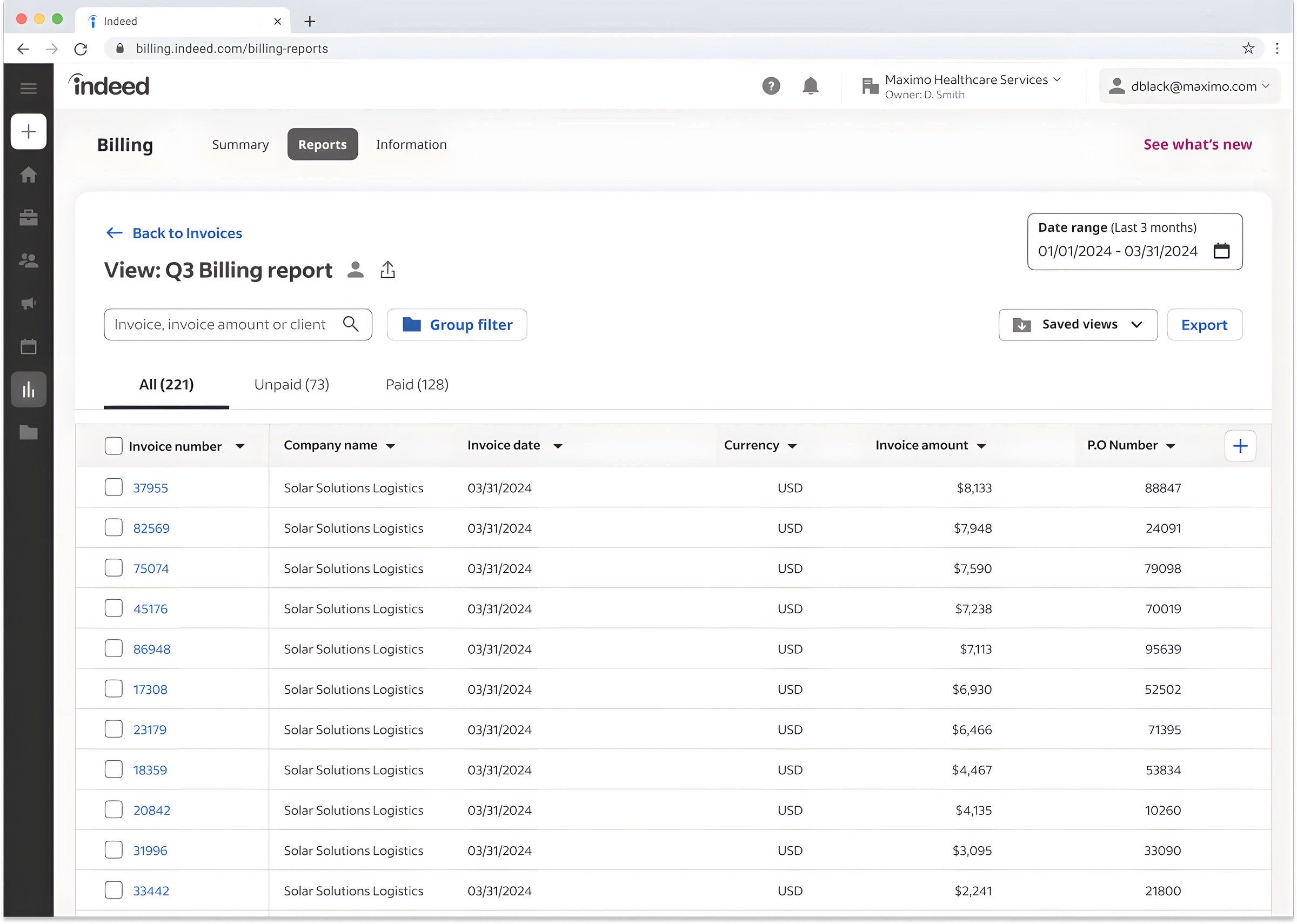
I replaced the fixed report with a table whose columns users configure themselves: they add, remove, and reorder invoice fields, with in-table search. With the PM, I scoped the data-model expansion to the fields that map to how enterprise accounting actually works: PO number, cost center, store ID, recruiter, wire remittance.
Walking CS reps and two client billing managers through v1 surfaced the real requirement: give people more fields to work with without taking away the report they already knew.
We made the cuts explicit, too. PDF export, batch download, and advanced filters moved to a fast-follow rather than bloating MVP scope before the fiscal-year deadline. I handed engineering Figma specs covering add/remove/reorder behavior, in-table search, and the edge cases for fields that don't exist on every account type. The Billing Reports page shipped inside Indeed's Flexible Reports launch and set the standard for configurable columns across the entire billing surface.
Save, Share, and Schedule, so a report gets reused instead of rebuilt
Named views, hierarchy-scoped sharing, and scheduled delivery replaced the monthly rebuild and the screenshot-by-email workaround.
Save
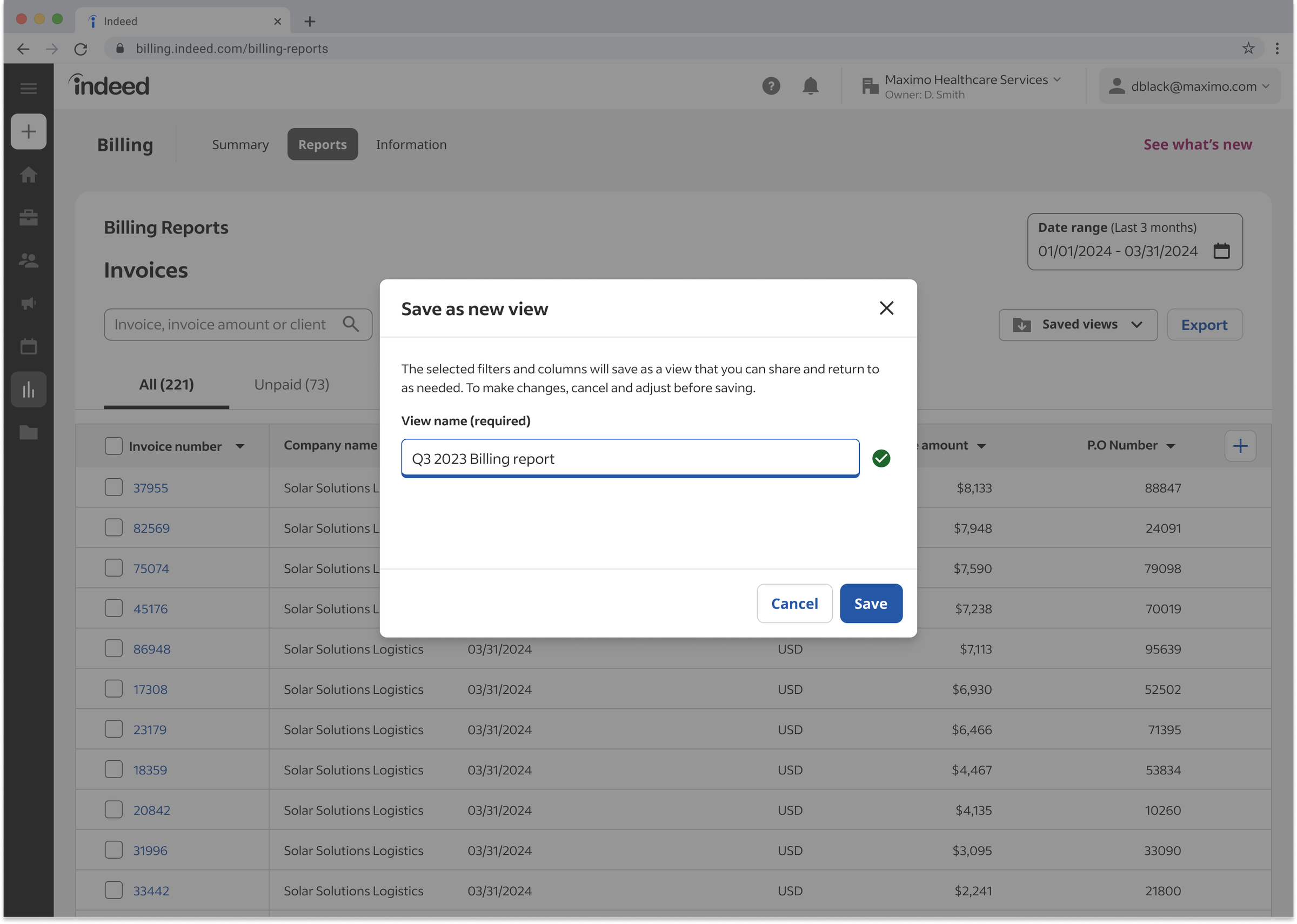
Concept testing validated the configurable report, and it surfaced demand for two features the team hadn't committed to: saving a view and scheduling delivery. Both moved onto the roadmap. Users save a column configuration, date range, and filter set as a named view. The modal's design problem was legibility of the object itself: testing showed people wouldn't trust a save they couldn't inspect. The preview pane was the fix, and it came straight out of the first usability round.
Share
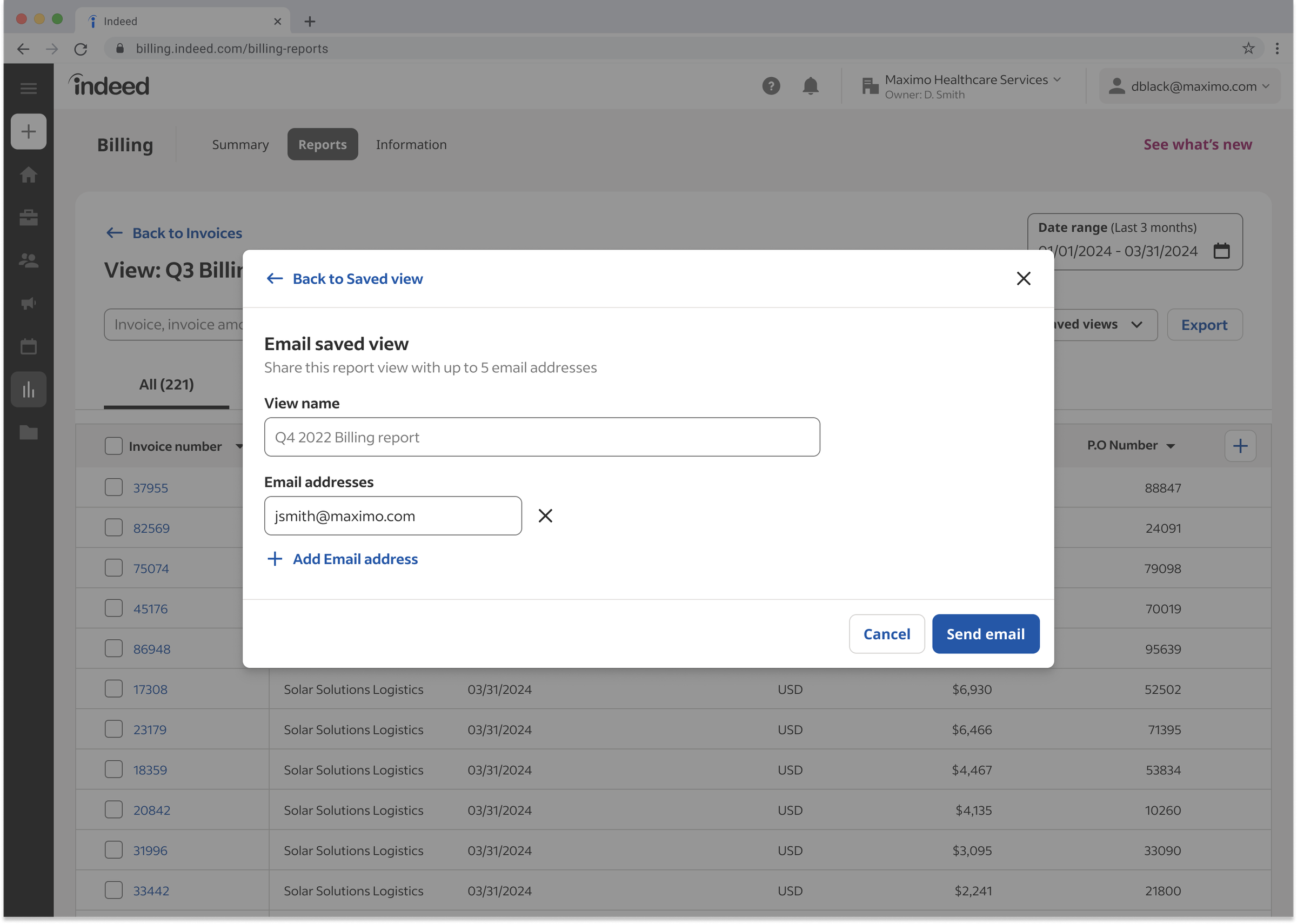
Sharing a view sounds simple until permissions enter. Indeed organizes enterprise accounts in a hierarchy called EHS, but each client built and named its own version of that hierarchy, so there was no standard structure to design against. Whatever the shape, a shared report could never show a recipient data outside their branch of the tree.
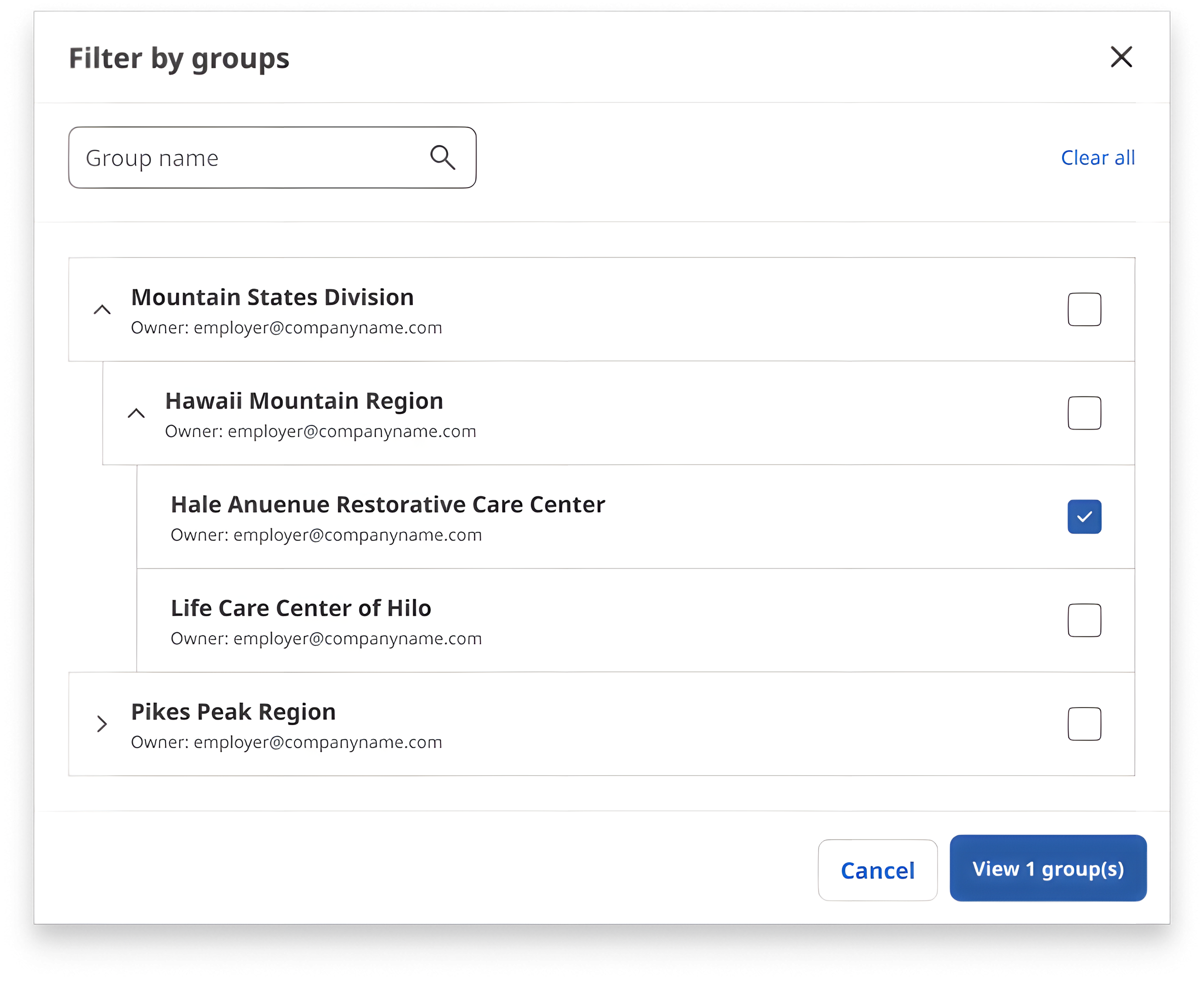
The architectural spine was four entry points to save-a-view: from a default view, from an existing saved view, from a shared link inside the same parent account, and from a shared link in a sub-account. Each had different defaults and different permission behavior. Mapping those four paths, not the modal, was the hard design work.
Schedule
Recurring reports deliver themselves on a cadence, so the monthly rebuild disappears entirely. Compliance review added the constraint that shaped the recipient experience: four documented unsubscribe acceptance criteria, specced and shipped.
We phased the release, Save by end of fiscal year and Share in Q1, so clients got value early while the harder permission work landed. I delivered specs per phase; the tech lead built a mock API against them and implementation followed through both phases.
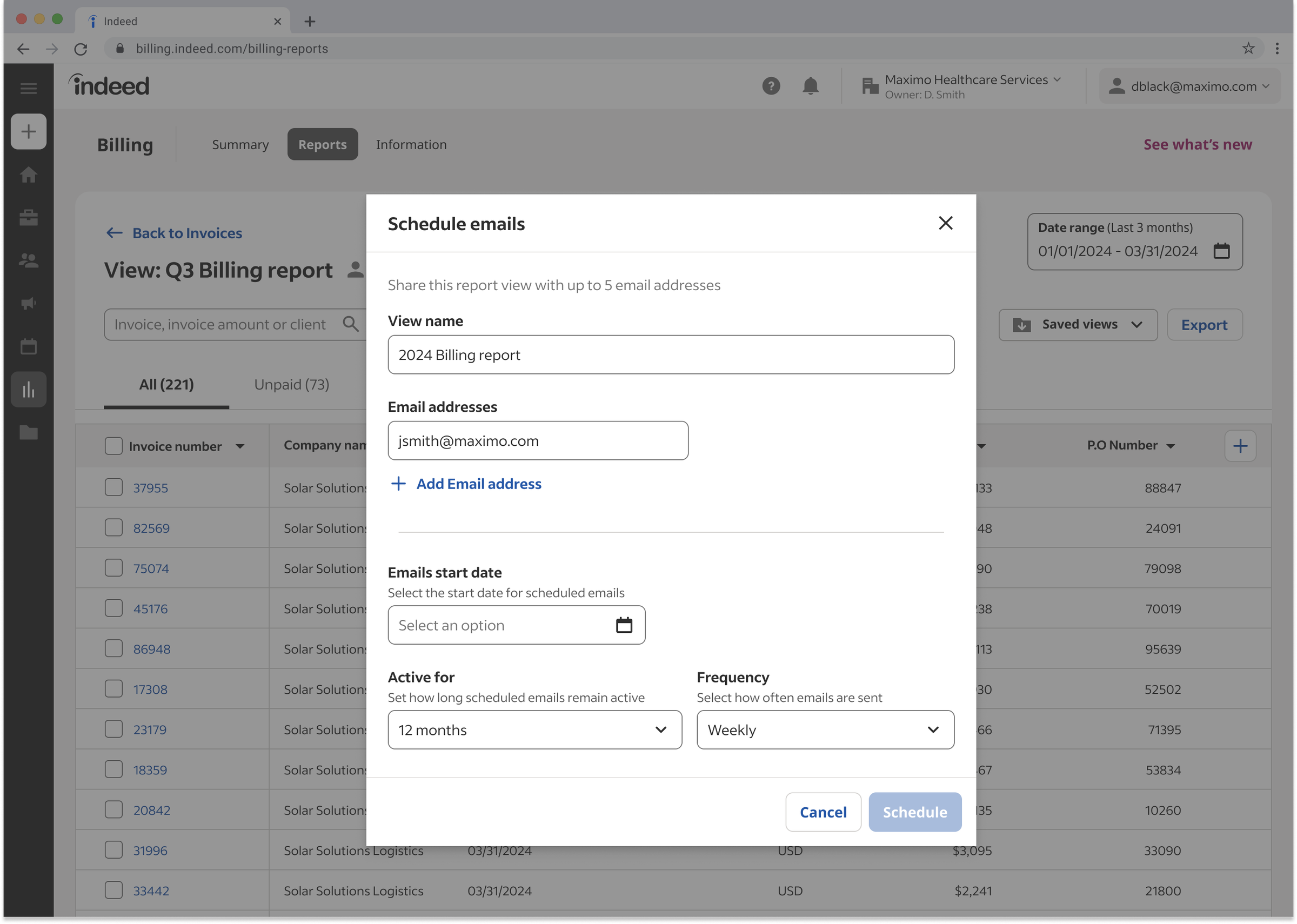
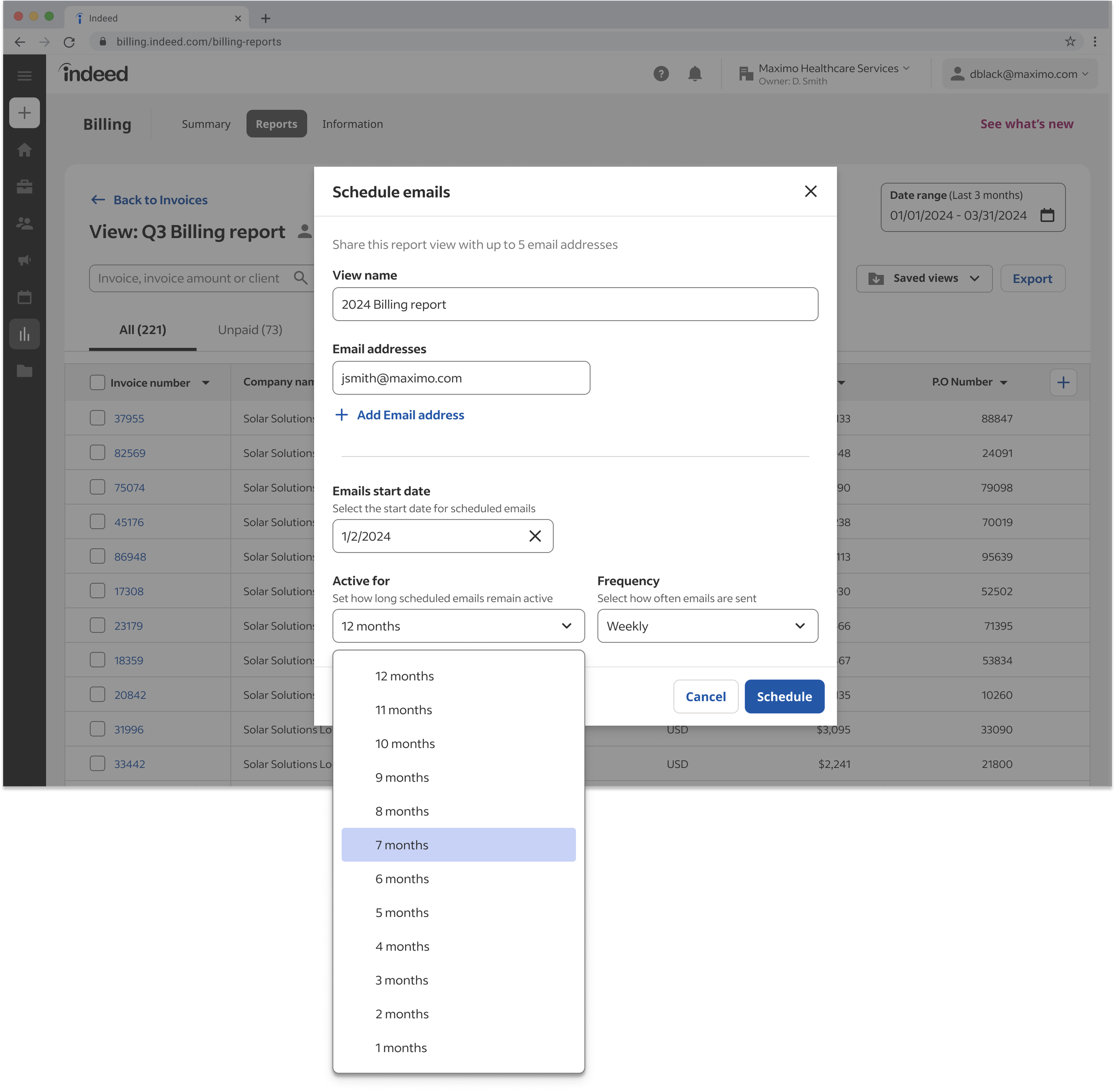
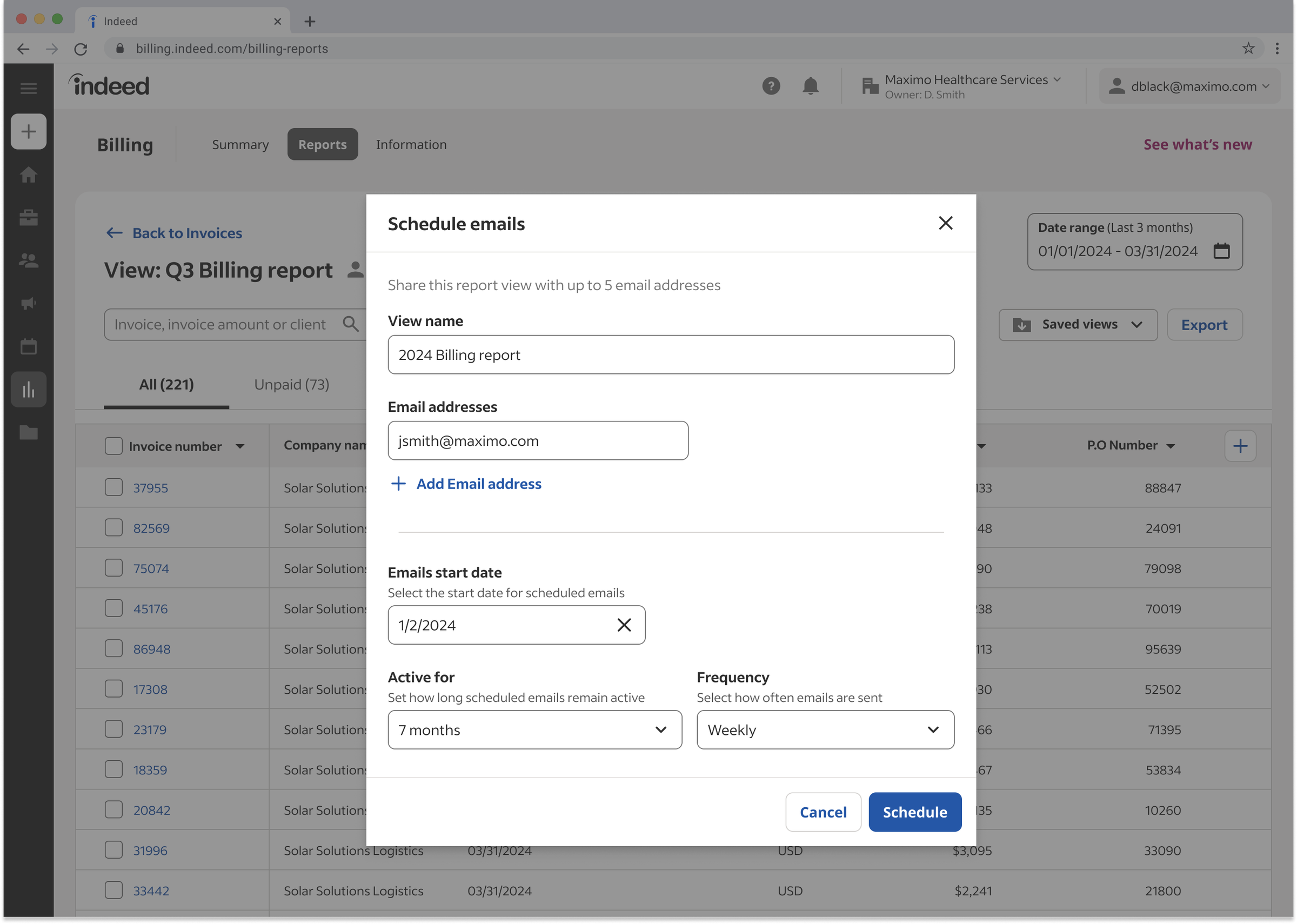
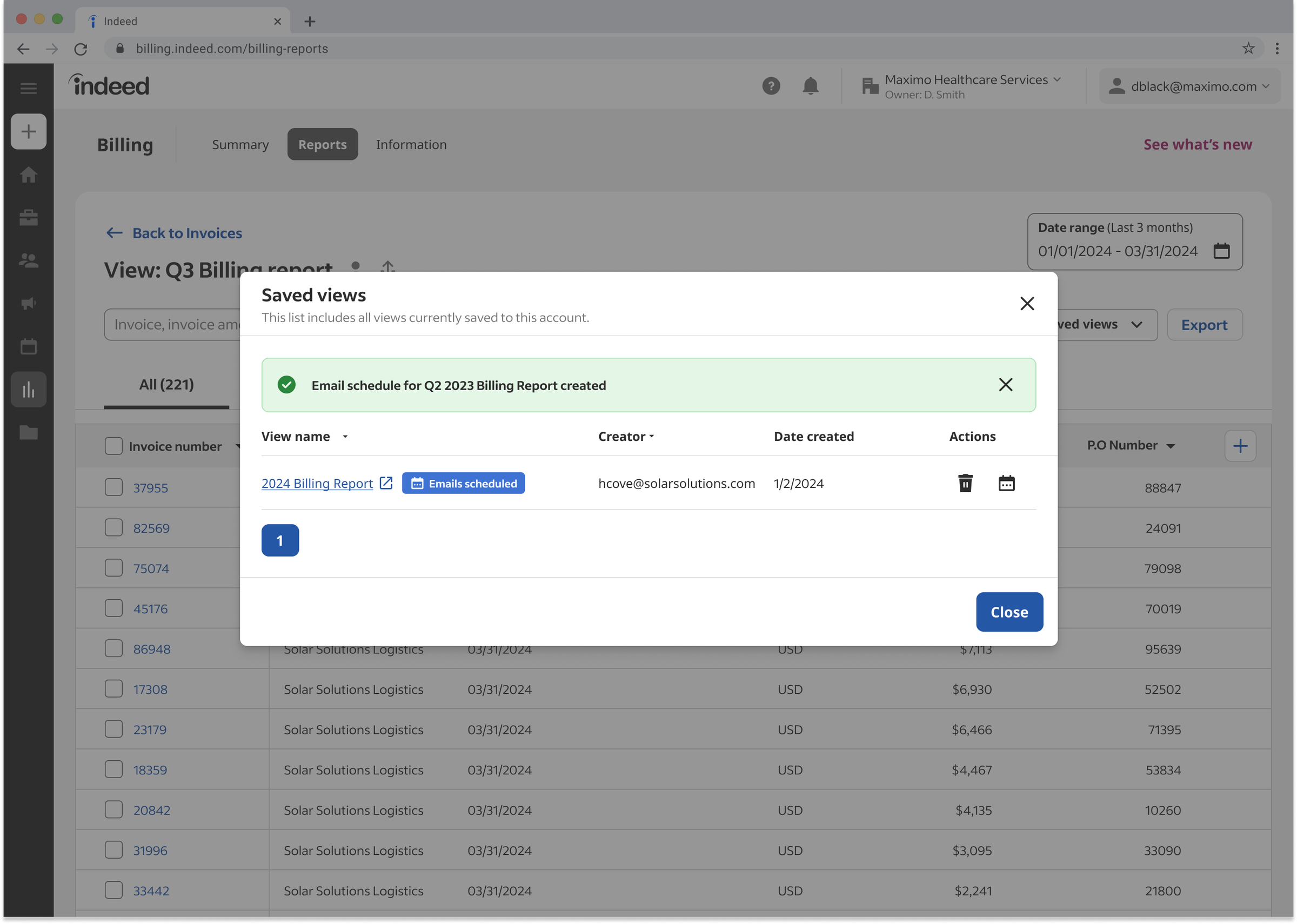
Scroll → Configuring a recurring report: recipient, duration, frequency, confirmation
Aligning two products without merging them
Billing and Analytics shared customers and vocabulary, and were about to build the same feature twice, differently.
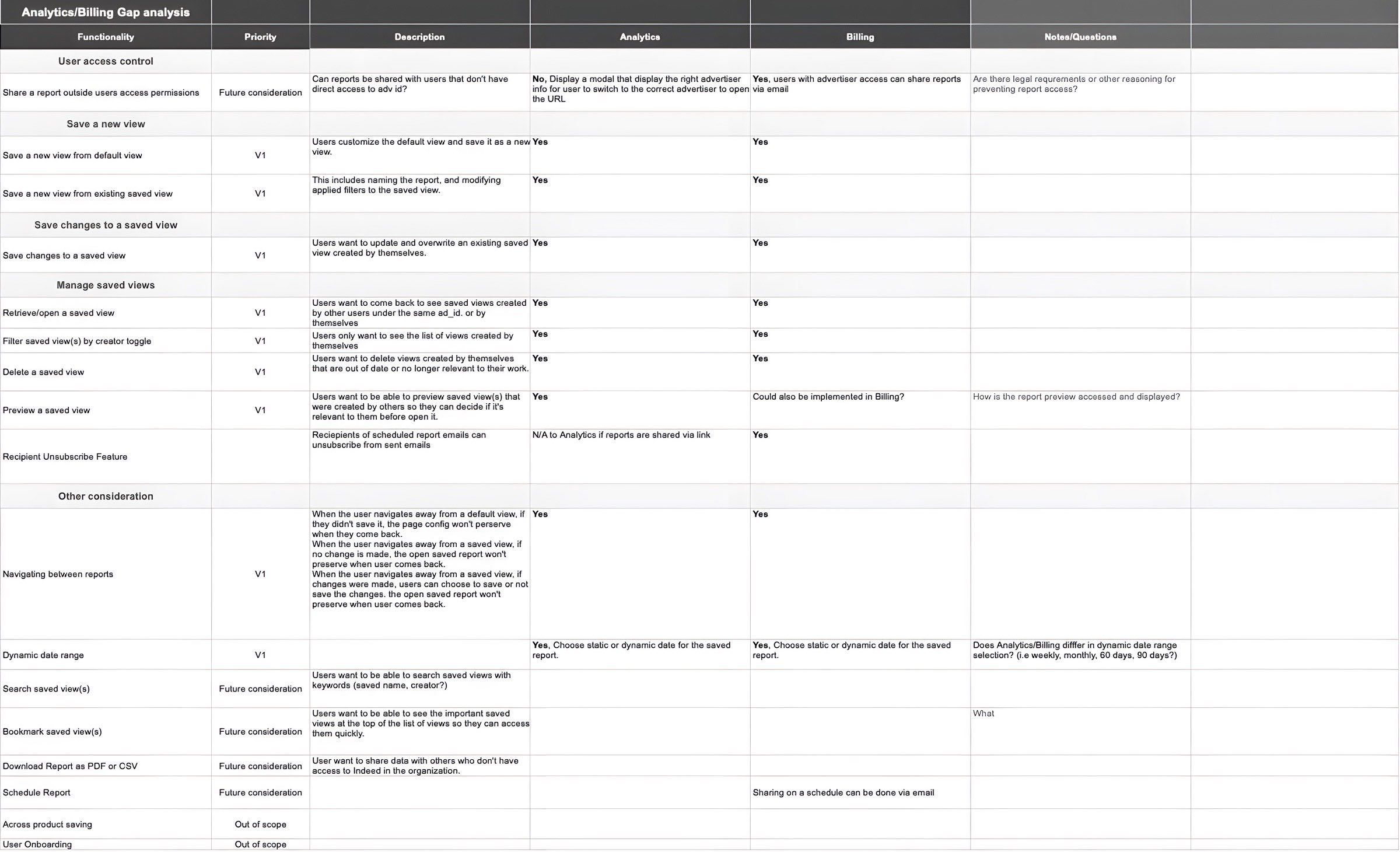
Auditing adjacent surfaces turned up a collision: the Analytics team was planning its own Save and Share, on a similar timeline, unaware of ours. Engineering ruled out a shared platform capability (cross-team service costs killed it), which left the harder problem: align the experiences without merging the teams.
I authored the gap analysis that became the alignment artifact: 30+ jobs-to-be-done organized by user type, with explicit Billing/Analytics deltas at every row. The Analytics designer and I made joint calls: the saved-view concept, date-range model, and CTA structure stay aligned; release cadence and infrastructure stay independent. It made the alignment defensible to leadership, and both teams shipped on their own timelines. The two products use the same vocabulary today.
Every major decision here got revised by the people who use it, and shipped better for it.
The configurable columns were reshaped by CS reps, the save modal rebuilt after usability testing, the share flow hardened in an engineering feasibility review. None of those were my first answer, and the cross-team plan only got better after engineering said no to the easy version. On a surface where the data has to be right and has to match how customers actually do their accounting, that is how the work earned trust: ship a position, get it in front of the people who use it, and revise.
827
Enterprise clients now self-serve
$3.7B+
Annual revenue on this surface
20+
New invoice fields shipped